Published by Zorapid
If you’ve dealt with crashed rotary tables, wavy witness marks on mold cores, scrapped titanium aerospace parts, or cycle times 40% longer than they need to be—this guide is written for your shop floor.
5-axis machining unlocks single-setup complex geometry, but it’s twice as easy to mess up compared to standard 3-axis code. One tiny programming oversight can cost thousands: broken spindle heads, ruined custom fixtures, high-value material scrap, and missed client delivery deadlines.
At Zorapid’s 3,000㎡ 5-axis hybrid manufacturing workshop, our CAM team runs hundreds of simultaneous 5-axis programs monthly for medical implants, turbine impellers, hardened steel molds, and aerospace structural components. We’ve cataloged every recurring programming error our clients bring us—and built repeatable, shop-proven optimization workflows to erase them entirely.
This guide skips abstract theory. Every error breakdown comes with clear symptoms, root causes, and step-by-step fixes you can plug into your Mastercam, Fusion 360, SolidCAM, or HyperMill today. No confusing academic language, just straight machinist logic.
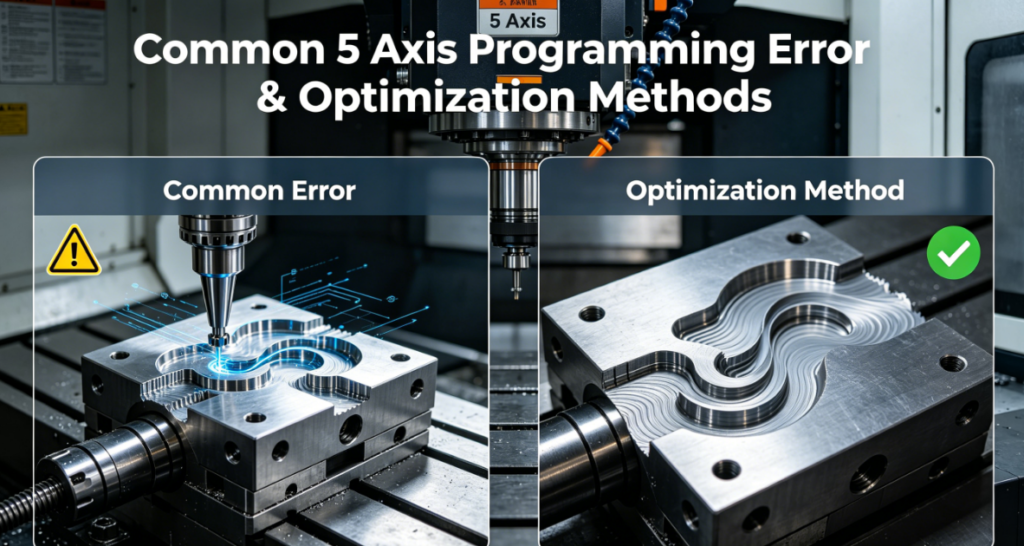
Most Costly 5-Axis Programming Mistakes
Mistake 1: Skipping Full Machine Envelope Simulation = Collision Catastrophes
Common Symptoms
- Holder slams into rotary table, fixture clamps, or part stock mid-cut
- Spindle nose crashes deep inside narrow cavities
- Program passes CAM toolpath check but fails hard on the machine
Root Cause
Most programmers only simulate tool geometry—they ignore holders, collets, spindle housing, fixture plates, rotary axis limits, and remaining raw stock. CAM software’s basic path preview does not replicate full machine kinematics.
Zorapid Optimization Fix
- Always build a complete digital machine replica inside your CAM: table size, A/B/C rotary travel limits, spindle length, full holder assembly, and custom fixture 3D models
- Enable stock tracking simulation; re-run collision check after every roughing rest operation
- Run dry single-block feed at 25% speed on the machine before full production cut
- Add 0.08–0.12 inch minimum safety clearance between holder and all workpiece features
Mistake 2: Ignoring Singularity Zones (Axis Flip, Jitter, Ruined Surface Finish)
Common Symptoms
- Violent machine jitter at near-vertical tool angles
- Visible heavy witness lines across finished curved surfaces
- Rotary axes snap 180° instantly, triggering machine overload alarms
Root Cause
Singularities happen when your tool axis lines up parallel to the machine’s rotary centerline. The control system forces extreme, rapid axis rotation to maintain position—destroying finish and wearing rotary motors fast. Many programmers skip singularity detection in CAM.
Zorapid Optimization Fix
- Follow the 15° Rule: Keep tool tilt angle at minimum 15° offset from rotary axis centerline wherever geometry allows
- Turn on automatic singularity smoothing inside CAM; split problematic surfaces into separate finishing operations
- For mandatory near-vertical cuts: stretch angular movement over longer toolpath segments to avoid sharp axis jumps
- Enable real-time singularity alert modules on Heidenhain / Siemens controllers
Mistake 3: Generic Post Processors Without Machine-Specific Tuning
Common Symptoms
- Slow feedrates, stuttering block processing, uneven axis movement
- Incorrect rotary axis rotation direction, coordinate offset errors
- Controller alarms mid-program from unreadable G-code blocks
Root Cause
Off-the-shelf universal posts ignore machine-specific functions: TCPM (Heidenhain), TRAORI (Siemens), rotary axis wrap limits, and block processing speed thresholds. Generic posts output bloated, unoptimized code the CNC control struggles to parse.
Zorapid Optimization Fix
- Build a fully customized post processor matched to your exact 5-axis machine model
- Activate native kinematic functions (TCPM / TRAORI) to cut cycle time up to 35%
- Limit block count below 1,000 lines per second to eliminate control stuttering
- Standardize decimal precision: 4 decimals inch mode, 3 decimals metric mode
Mistake 4: Uncontrolled Tool Lead/Tilt Angles Causing Gouging & Chatter
Common Symptoms
- Tool shank gouges deep cavity walls during simultaneous finishing
- Severe chatter marks on steep curved mold surfaces
- Rapid edge chipping on carbide end mills for hard steel/titanium
Root Cause
Programmers set fixed 0° lead angles without adjusting for surface steepness. Flat vertical alignment pushes holder close to part walls and creates excessive radial cutting load.
Zorapid Optimization Fix
- Use variable lead angle control: 3°–8° positive lead for steep walls, 1°–3° for shallow gentle curves
- Enable automatic gouge avoidance for shank + holder in all multi-axis finishing passes
- For hardened steel & Inconel: lock minimum 5° tilt angle to reduce side loading on cutter edges
- Separate steep and shallow surfaces into independent toolpath operations to maintain consistent safe angles
Mistake 5: Overlong Tool Overhang & Poor Rigidity Planning
Common Symptoms
- Thin-wall part deflection, inconsistent dimensional tolerance
- Shortened tool life, frequent broken cutters in deep pockets
- Blurry, low-quality surface finish requiring secondary polishing
Root Cause
Programmers select one long tool for all deep features instead of splitting operations by reach length. High L/D ratios amplify vibration in simultaneous 5-axis rotation.
Zorapid Optimization Fix
- Tier tool lengths: short rigid cutters for shallow features, extended holders only for unreachable deep cavities
- Limit maximum tool overhang to 3× cutter diameter for hard metals (stainless, HRC 50+ steel, titanium)
- Tilt rotary axes to access deep pockets with shorter tools wherever geometry permits
- Add trochoidal roughing paths to reduce radial engagement and chatter risk on long tools
Mistake 6: Chaotic Air Moves & Unoptimized Rotary Axis Transitions
Common Symptoms
- Massive wasted cycle time from unnecessary full rotary table spins
- Loud, slow machine motion between separate machining zones
- Premature rotary bearing wear from constant back-and-forth axis rotation
Root Cause
CAM default air moves recalculate full rotary zero return between every feature. Programmers do not reorder machining regions to minimize axis travel.
Zorapid Optimization Fix
- Reorganize toolpath order: machine all features within one rotary angle range consecutively
- Set safe intermediate rotary positions instead of returning to A0/B0 for every transition
- Add smooth arc blending to all rapid air moves to eliminate sharp axis direction changes
- Enable rotary axis wrap limit locking to avoid unnecessary 360° table rotations
Mistake 7: Mixing 3+2 Indexing & Simultaneous 5-Axis Strategies Blindly
Common Symptoms
- Unreasonably long total run time combining slow simultaneous finishing with inefficient indexing roughing
- Visible step lines between indexed rough passes and continuous finish paths
Root Cause
Programmers use full simultaneous 5-axis for every operation, even flat, angled pockets that run far faster with simple 3+2 positioning.
Zorapid Optimization Fix
- Strict workflow split:
- Roughing / semi-finish angled pockets: 3+2 indexing (fast, stable, less axis load)
- Complex freeform curved surfaces (blades, mold contours): continuous simultaneous 5-axis
- Match rest machining toolpaths to each indexed plane to remove leftover stock cleanly
- Align finish pass start/end points to eliminate visible witness lines between indexed zones
All-in-One Optimization Playbook (Roughing, Finishing, Post, Simulation)
1. Roughing Optimization Rules
- Adaptive trochoidal multi-axis roughing for all deep cavities; limit radial stepover to 40% cutter diameter
- Use rest machining with smaller diameter cutters to remove uneven leftover stock
- Lock rotary axes into 3+2 indexed positions to cut roughing cycle time by 20–28%
- Avoid full simultaneous 5-axis during heavy stock removal to reduce machine stress
2. Simultaneous Finishing Optimization Rules
- Variable lead/tilt angle with shank gouge protection enabled at all times
- Smooth axis blending for all continuous toolpaths; eliminate sharp angular jumps
- Singularity zone segmentation to block violent rotary jitter
- Consistent stepover matched to target Ra finish; smaller stepover only for critical cosmetic surfaces
3. Post & G-Code Optimization
- Deploy machine-specific custom post processor with TCPM / TRAORI kinematics
- Trim redundant G-code lines; remove unnecessary rotary zero returns
- Cap block processing speed to match CNC controller hardware limits
- Standardize feedrate sync for multi-axis synchronous movement
4. Simulation Pre-Machining Checklist (Non-Negotiable At Zorapid)
- Full digital machine + fixture + holder collision simulation
- Singularity zone detection & path modification
- Stock tracking rest material verification
- Single-block dry run at reduced machine feedrate
Zorapid Real-World Case: Fixed 5-Axis Impeller Program Cut Cycle Time 32%
A turbine OEM client sent us a 5-axis blisk impeller program with major flaws: constant axis jitter, frequent holder gouging, and a 112-minute total cycle time. Their in-house programmer used a generic post, ignored singularity zones, and ran full simultaneous roughing.
Our Programming Optimization Overhaul
- Built custom Heidenhain TCPM post processor tailored to their 5-axis vertical machine
- Split singular high-tilt blade zones with segmented variable lead angle paths
- Rewrote roughing operations to 3+2 indexed trochoidal rest machining
- Reordered air moves to eliminate full rotary table 180° spins between blades
- Enabled full machine envelope collision simulation before posting final G-code
Measurable Results
- Total machining cycle dropped from 112 mins to 76 mins (-32% runtime)
- Zero gouging or axis jitter on production batches
- Tool lifespan increased 45% with stable controlled cutting angles
- Surface finish Ra improved from 1.6μm down to 0.6μm without manual polishing
This is the direct payoff of structured, error-free 5-axis programming most shops skip due to rushed CAM workflows.
Pro Machinist Daily Habits To Eliminate 90% Of 5-Axis Coding Errors
- Build a dedicated digital machine library with every fixture, holder and tool assembly once—reuse for all future programs
- Run collision simulation immediately after editing any toolpath, do not wait until full program completion
- Separate roughing (3+2) and finishing (simultaneous 5-axis) into distinct CAM operations
- Never use generic off-the-shelf post processors for production critical parts
- Review singularity heatmaps inside CAM before posting final G-code
- Tier tool lengths to minimize overhang and vibration risk
- Reorder machining regions to cut down unnecessary rotary axis travel
DFM Programming Pre-Checklist Before Opening CAM Software
Complete this before writing any 5-axis toolpaths to prevent avoidable geometry-driven errors:
Confirm all internal radii match available standard tool sizes
Modify ultra-deep narrow pockets to allow shorter rigid tool access
Add minimum 15° offset space to geometry where tool tilt approaches rotary singularity
Split overly complex single surfaces into segmented machining zones
Design uniform wall thickness to reduce deflection during simultaneous cutting
Eliminate non-critical deep undercuts that force extreme, unstable tool angles
FAQ
Can singularity errors be fixed just by slowing machine feedrate?
Slowing feeds only hides the issue temporarily. The root problem is extreme rotary axis angular jump. You must split toolpaths and adjust lead angles in CAM to fully eliminate jitter and witness marks.
Is 3+2 indexing always faster than continuous simultaneous 5-axis roughing?
Yes for all pockets, angled flats and non-freeform geometry. Simultaneous multi-axis is only efficient for curved continuous surfaces like molds, impellers and aerospace airfoils.
Why does my CAM simulation show no collision, but the machine still crashes?
You omitted spindle housing, full tool holder assembly, fixture clamps or raw stock from your digital simulation model. Always load every physical machine component into your CAM simulation environment.
Do I need a custom post processor for every different 5-axis machine brand?
Absolutely. Heidenhain TCPM, Siemens TRAORI, Haas kinematic functions all require unique post logic. Generic universal posts generate bloated, slow, error-prone G-code.
How much cycle time can I expect to save with fully optimized 5-axis programming?
Typical production parts see 25–38% faster run times once you fix air moves, singularity zones, post processor and roughing strategy together. Tool life also jumps 30–50% from stable controlled cutting angles.
Final Quick Reference Cheat Sheet
Error Prevention Core Rules
- Simulate full machine + fixture + holder every single program
- Maintain ≥15° tool offset from rotary singularity centerline
- Use machine-customized post processor with native kinematic functions
- Tier short rigid tools first; limit overhang ≤3× cutter diameter
- Rough via 3+2 indexing, finish freeform curves with simultaneous 5-axis
- Variable lead angles 3°–8° with shank gouge protection active
Optimization Quick Wins
- Reorder machining zones to skip unnecessary rotary table spins
- Arc-blend all rapid air moves to cut vibration and axis wear
- Split singular high-tilt surfaces into segmented finishing passes
- Enable trochoidal roughing to reduce chatter and tool load
Red Flags To Stop Programming Immediately
- CAM singularity heatmap highlights large red zones on critical surfaces
- Tool holder clearance drops below 0.08 inch in simulation
- Overhang L/D ratio exceeds 4:1 for hard metal / titanium cuts
- Generic universal post processor selected for production batch work
Zorapid Closing CTA
Tired of frequent machine collisions, poor surface finish, or bloated cycle times from flawed 5-axis programming? Our in-house CAM engineering team offers free program reviews and DFM analysis for your complex aerospace, medical, mold and automotive components.
We deliver fully optimized collision-free 5-axis toolpaths paired with our ISO-certified 5-axis hybrid CNC manufacturing services, cutting your lead times and reducing scrap rates permanently. Reach out via our contact page to submit your CAD files and CAM programs for a no-obligation technical consultation.