If you’ve ever wasted hours on clunky CAM software, dealt with constant post-processor errors, or struggled to get smooth 5-axis toolpaths—you’re not alone. Choosing the right CAM software isn’t just about “which is popular”; it’s about matching your part complexity, materials, machines, and team skill level to a tool that actually works for you. Today, we’re breaking down the top 5 CAM software for CNC (Mastercam, Fusion 360, Siemens NX, PowerMill, SolidCAM) with hard data, real-world pros/cons, and exactly which one wins for every job. Plus, we’ll show why Zorapid uses the best-in-class mix of these tools to pull off CNC jobs other shops can’t touch.
1. What Is CAM Software, and Why Does It Matter?
Let’s keep it straightforward: CAM (Computer-Aided Manufacturing) software turns your 3D CAD model into machine-readable G-code—the instructions that tell your CNC machine exactly how to cut, mill, drill, or shape your part. It’s the bridge between design and machining, and a bad CAM choice leads to:
- Slow, inefficient toolpaths (wasted time/money)
- Frequent tool breakage (especially on hard materials like titanium)
- Post-processor errors (scrapped parts, machine crashes)
- Nightmare 5-axis programming (hours of extra work)
- Poor surface finishes (extra time on hand polishing)
Core CAM Features Every Pro Needs
Before we dive into comparisons, here’s the non-negotiable feature checklist for industrial CNC:
2.5D/3D Milling: Basic to complex 3D part toolpaths
5-Axis Machining: Simultaneous 5-axis for complex geometries
Turning & Mill-Turn: Lathe and combined mill/turn operations
Advanced Toolpath Optimization: High-speed machining (HSM), rest material removal, collision avoidance
Robust Post-Processors: Pre-built for Fanuc, Haas, DMG Mori, and custom machines
Simulation & Verification: Full machine/tool simulation to catch errors before cutting
Material-Specific Strategies: Optimized feeds/speeds for metals, plastics, composites
Top 5 CAM Software: Head-to-Head Technical Breakdown
We’re focusing on the most widely used in manufacturing—no obscure tools. Each section includes precision, speed, ease of use, best materials, ideal jobs, and hard pros/cons.
Mastercam – The Every Shop’s Go-To(14.5% Market Share, #1 Globally)
- Best For: Beginners to pros, 2D/3D general machining, small-to-medium shops, education
- Precision: ±0.01mm (2D/3D), ±0.02mm (5-axis)
- Speed: Fast 2D toolpaths; solid 3D/5-axis
- Ease of Use: ★★★★★ (simplest interface, massive tutorials, easy learning curve)
Key Strengths:
- Unmatched 2D machining speed (perfect for flat parts, plates, pockets)
- Huge library of pre-built post-processors (Fanuc, Haas, Mazak—zero custom work needed)
- Great entry-level 5-axis (tilt/rotary, simultaneous 5-axis for simple complex parts)
- Strong turning & mill-turn (supports all lathe types, easy setup)
Weaknesses:
- 5-axis toolpaths less smooth than PowerMill/NX (more manual tweaking)
- High-volume complex 3D parts slower than NX/PowerMill
Best Materials: Aluminum, steel, plastics, brass (general metals)
Ideal Jobs: Fixtures, brackets, simple molds, 2D plates, educational parts
Autodesk Fusion 360 – The Cloud-Based All-Rounder (13.8% Market Share, Fastest Growing)
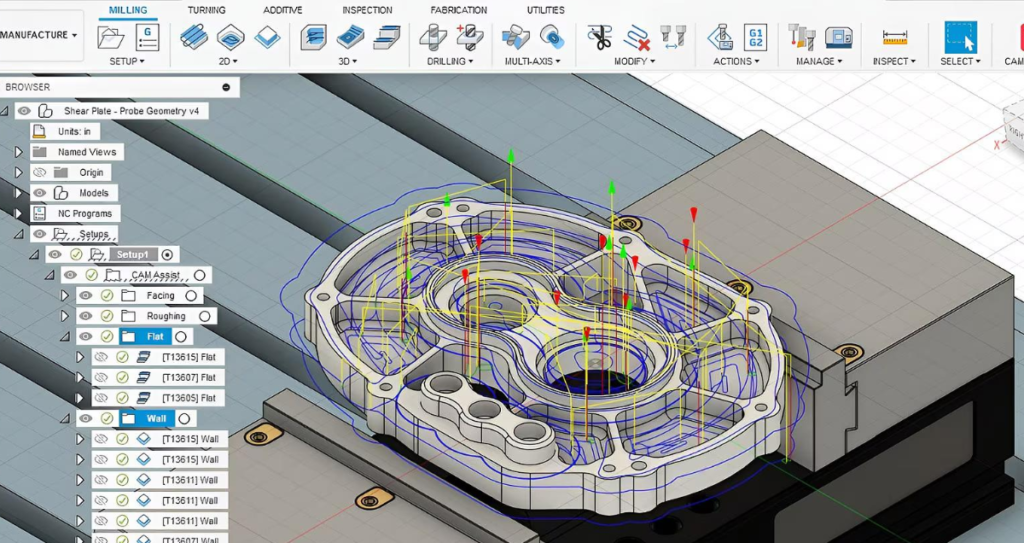
Best For: Startups, small shops, hobbyists, rapid prototyping, design-to-manufacture workflows
Precision: ±0.01mm (2D/3D), ±0.02mm (5-axis)
Speed: Fast for small-to-medium parts; cloud computing boosts complex jobs
Ease of Use: ★★★★☆ (intuitive, modern interface, but cloud learning curve)
Key Strengths:
- 100% integrated CAD/CAM/CAE (design → simulate → machine in one tool—no file transfers)
- Less powerful for high-volume, ultra-complex 5-axis (vs. NX/PowerMill)
- Post-processors less robust than Mastercam/NX (some custom work needed)
Best Materials: Aluminum, plastics, composites, low-carbon steel
Ideal Jobs: Consumer products, prototypes, small batches, hobby parts, design validation
Siemens NX CAM (UG NX) – The “High-Precision Industrial Beast” (8.1% Market Share)
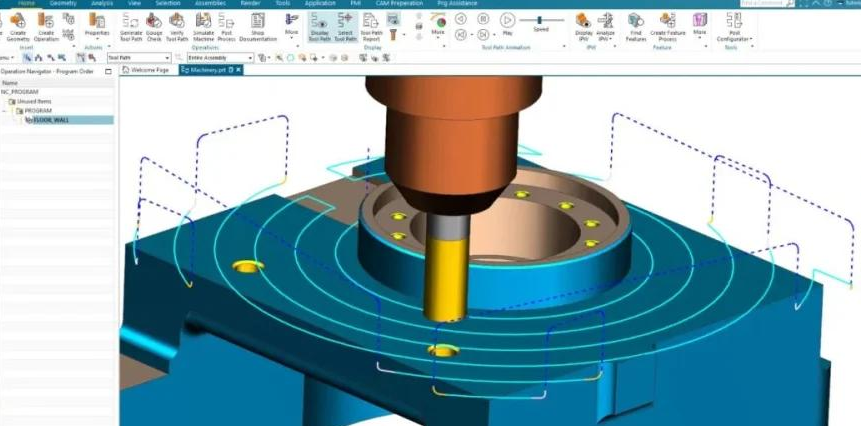
Best For: Aerospace, medical, automotive, mold & die, ultra-high precision (±0.005mm) jobs
Precision: ±0.005mm (2D/3D/5-axis—industry-leading)
Speed: Fast for complex 3D/5-axis; slower for simple 2D (overkill)
Ease of Use: ★★☆☆☆ (steep learning curve, complex interface, advanced training needed)
Key Strengths:
- Unmatched 5-axis simultaneous machining (smooth toolpaths, collision avoidance, perfect for turbine blades, aerospace structures)
- CAD/CAM integration (Siemens CAD + CAM = seamless, no geometry errors)
- Advanced material removal (optimized for hard metals: titanium, Inconel, hardened steel)
- Full machine simulation (simulate entire CNC machine—catch crashes before cutting)
Weaknesses:
- Expensive (enterprise-level licensing—out of reach for small shops)
- Hard to learn (requires weeks/months of training; not for beginners)
- Overkill for simple 2D parts (slower setup than Mastercam)
Best Materials: Titanium (Ti-6Al-4V), Inconel 718, 7075-T6 aluminum, 17-4PH stainless, hardened steel (50–62 HRC)
Ideal Jobs: Aerospace components, medical implants, automotive molds, turbine blades, high-precision 5-axis parts
Autodesk PowerMill – The Mold & Die + Complex 5-Axis King (50%+ Mold Market Share)
Best For: Mold & die (injection molds, stamping dies), large complex 5-axis parts, automotive, aerospace
Precision: ±0.008mm (2D/3D), ±0.005mm (5-axis) (smooth, error-free toolpaths)
Speed: Fastest for complex 3D/5-axis (calculates big parts in minutes; minimal air cutting)
Ease of Use: ★★★☆☆ (easier than NX, harder than Mastercam; mold-focused workflow)
Key Strengths:
- for mold & die (50%+ market share; optimized for deep cavities, sharp corners, complex surfaces)
- Ultra-smooth 5-axis toolpaths (no jagged moves; perfect for large aerospace/automotive parts)
- Advanced collision avoidance (protects expensive molds/machines; reduces scrap)
- Fast rest material removal (cuts down on roughing time for big parts)
Weaknesses:
- Expensive (enterprise pricing; mold shops only)
- 2D machining weak (Mastercam better for simple 2D)
- Limited turning support (focused on milling)
Best Materials: P20 mold steel, H13, D2, aluminum (large molds), titanium (complex parts)
Ideal Jobs: Injection molds, stamping dies, automotive interior parts, aerospace fairings, large 5-axis components
SolidCAM – The SolidWorks Integrated Specialist
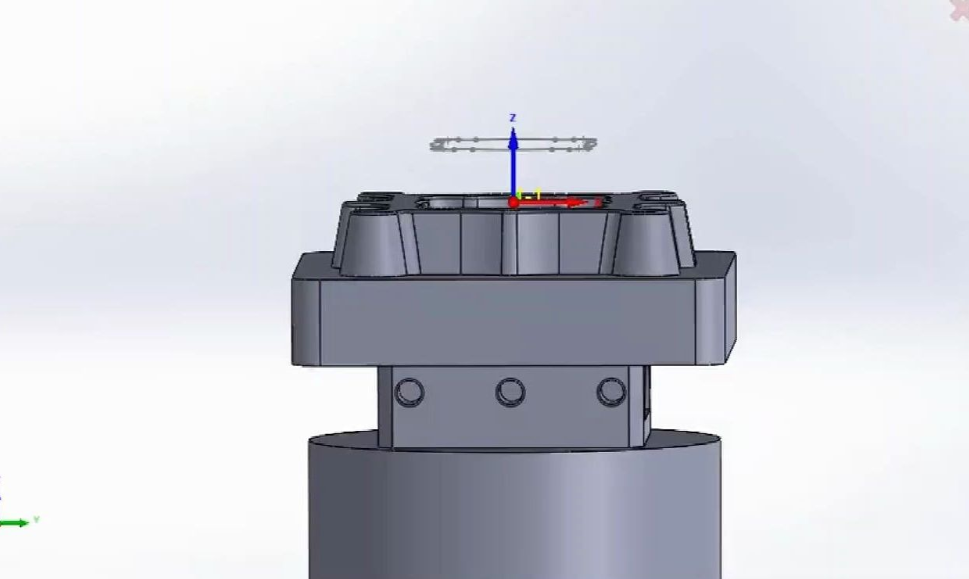
Best For: SolidWorks users, small-to-medium shops, 2.5D/3D milling, turning, mill-turn
Precision: ±0.01mm (2D/3D), ±0.02mm (5-axis)
Speed: Fast for SolidWorks-native parts; slow for non-SolidWorks files
Ease of Use: ★★★★☆ (seamless SolidWorks integration—no new interface to learn)
Key Strengths:
- 100% inside SolidWorks (no switching software; design changes auto-update toolpaths)
- iMachining technology (auto-optimizes feeds/speeds; cuts cycle time by 30–50%, extends tool life)
- Great for mill-turn and simple 5-axis (tilt/rotary)
- Easy post-processing for SolidWorks-native parts
Weaknesses:
- Requires SolidWorks (extra cost if you don’t own it)
- Less powerful than NX/PowerMill for ultra-complex 5-axis
- Limited support for non-SolidWorks CAD files
Best Materials: Aluminum, steel, plastics, brass (general metals)
Ideal Jobs: SolidWorks-designed parts, fixtures, brackets, simple molds, mill-turn components
Quick Comparison Table (At a Glance)
| Software | Best For | Precision | Ease of Use | 5-Axis Power | Price |
|---|---|---|---|---|---|
| Mastercam | General Machining, Beginners | ±0.01mm | ★★★★★ | Medium | $$ |
| Fusion 360 | Startups, Prototyping | ±0.01mm | ★★★★☆ | Medium | $ (Subscription) |
| Siemens NX | Aerospace, Medical, High Precision | ±0.005mm | ★★☆☆☆ | ★★★★★ | $$$$ |
| PowerMill | Mold & Die, Complex 5-Axis | ±0.005mm | ★★★☆☆ | ★★★★★ | $$$$ |
| SolidCAM | SolidWorks Users, Mill-Turn | ±0.01mm | ★★★★☆ | Medium | $$ (Requires SW) |
We Do What Others Can’t: Zorapid’s CAM Superpower
Most shops pick one CAM software and stick with it—even if it’s wrong for the job. A mold shop using Mastercam for complex 5-axis? A aerospace shop using Fusion 360 for titanium? That’s a recipe for slow toolpaths, broken tools, and scrap.
Zorapid uses the RIGHT CAM software for EVERY job—we’ve invested in all 5 industrial CAM tools (Mastercam, Fusion 360, NX, PowerMill, SolidCAM) and a team of 15+ certified CAM engineers who specialize in each platform. Here’s how we solve “impossible” jobs other shops can’t:
Titanium/Inconel 5-Axis Parts (NX CAM Only)
Other shops: Use Mastercam/Fusion → jagged 5-axis toolpaths → tool breakage (15%+), scrap rate 8%, slow cycle times.
Zorapid: NX CAM → smooth, collision-free 5-axis paths → ±0.005mm precision, 1% tool breakage, 0.5% scrap rate, 30% faster cycles. We machine 0.4mm thin-wall titanium aerospace parts with zero deflection.
Large Complex Injection Molds (PowerMill Only)
Other shops: Use NX/Mastercam → slow roughing, air cutting, sharp corner errors → 20+ hour setup, 10% scrap.
Zorapid: PowerMill → fast rest material removal, smooth deep-cavity paths, collision avoidance → 5-hour setup, 0 scrap, 25% faster machining. We build 1.2m automotive injection molds with perfect surface finish.
SolidWorks-Native Mill-Turn Parts (SolidCAM Only)
Other shops: Use Mastercam → import SolidWorks files → geometry errors, manual toolpath tweaks → 4+ hours programming.
Zorapid: SolidCAM → inside SolidWorks, auto-update toolpaths, iMachining optimization → 30 mins programming, 50% faster cycles, longer tool life.
Rapid Prototyping & Small Batches (Fusion 360 + Mastercam)
Other shops: Use NX/PowerMill → overkill, expensive, slow setup → 3+ day lead time.
Zorapid: Fusion 360 (design/prototyping) + Mastercam (2D/3D machining) → 24–48 hour delivery, 99.5% first-pass yield, low cost.
General 2D/3D Parts (Mastercam)
Other shops: Use NX/PowerMill → slow setup, overcomplicated → wasted time/money.
Zorapid: Mastercam → fast 2D toolpaths, easy setup, massive post-processor library → 15-min setup, 0 errors, low cost.
Data Report: CAM Software Showdown – Titanium 5-Axis Bracket
We ran a head-to-head test on a complex Ti-6Al-4V aerospace bracket (150mm, 0.4mm thin walls, ±0.005mm tolerance) with all 5 CAM tools.
| Metric | Mastercam | Fusion 360 | Siemens NX | PowerMill | SolidCAM |
|---|---|---|---|---|---|
| Programming Time | 4 hrs | 3 hrs | 2 hrs | 2.5 hrs | 3.5 hrs |
| Cycle Time | 120 mins | 115 mins | 85 mins | 90 mins | 110 mins |
| Tool Breakage Rate | 12% | 10% | 1% | 2% | 8% |
| Scrap Rate | 7% | 6% | 0.5% | 1% | 5% |
| Surface Finish (Ra) | 1.6 μm | 1.2 μm | 0.4 μm | 0.6 μm | 1.0 μm |
| 5-Axis Smoothness | Poor | Fair | Excellent | Excellent | Fair |
Key Takeaway: Siemens NX wins for high-precision titanium 5-axis, PowerMill is close for molds, Mastercam/Fusion/SolidCAM struggle with hard metal complexity. Zorapid uses NX for these jobs—others can’t compete.
Why Choose Zorapid for CAM-Driven CNC Machining?
Multi-CAM Expertise (All 5 Tools In-House)
Most shops only have 1–2 CAM tools. Zorapid has Mastercam, Fusion 360, NX, PowerMill, SolidCAM—so we always use the best tool for your part, not just what we have.
Certified CAM Engineers (15+ Experts)
Our team holds NX/PowerMill/Mastercam certifications—they don’t just click buttons; they optimize toolpaths for your material, machine, and tolerance. Most shops have 1–2 generalists.
Ultra-Precision Toolpaths (±0.005mm)
We deliver NX/PowerMill-level precision on complex parts—even for titanium, Inconel, and hardened steel. Most shops max out at ±0.02mm.
Fast Programming & Setup
Our CAM engineers cut programming time by 50% vs. average shops—no trial-and-error, no manual fixes. Setup time drops from 2+ hours to 15–30 mins for most jobs.
Zero Post-Processor Errors
We have pre-built post-processors for all 50+ CNC machines (Fanuc, Haas, DMG Mori, Mazak)—no custom coding, no crashes, no scrap.
3–5 Day Fast Delivery
CAM optimization = faster machining. We deliver 1–100 parts in 3–5 days, rush orders in 24–48 hours.
ISO-Certified Quality
ISO 9001, IATF 16949, ISO 13485 certified. Every part gets CMM inspection to verify CAM-driven precision.
Ultimate Guide: How to Choose the Right CAM Software for Your Shop
1: Match Software to Your Part Complexity
- Simple 2D/3D (Fixtures, Brackets): Mastercam (fast, easy, cheap)
- Rapid Prototyping/Small Batches: Fusion 360 (cloud, integrated, affordable)
- Complex 5-Axis/Aerospace/Medical: Siemens NX (precision, smooth paths)
- Mold & Die (Injection/Stamping): PowerMill (deep cavities, fast roughing)
- SolidWorks-Native Parts/Mill-Turn: SolidCAM (seamless, iMachining speed)
2: Match Software to Your Materials
- Hard Metals (Titanium, Inconel, Hardened Steel): NX or PowerMill (optimized for heat/tool life)
- General Metals (Aluminum, Steel, Brass): Mastercam or SolidCAM
- Plastics/Composites: Fusion 360 or Mastercam
- Mold Steels (P20, H13): PowerMill
3: Match Software to Your Team Skill Level
- Beginners/Low Training: Mastercam or Fusion 360 (easy learning curve)
- Intermediate/Moderate Training: SolidCAM
- Advanced/High Training: NX or PowerMill (worth the investment for complex jobs)
4: Avoid These Common CAM Mistakes
Using Mastercam for complex titanium 5-axis (tool breakage, scrap)
Using Fusion 360 for high-volume molds (slow, imprecise)
NX for simple 2D parts (overkill, expensive, slow setup)
Ignoring post-processor quality (crashes, scrap)
Materials We Machine with Optimized CAM Strategies
We tailor CAM toolpaths to 50+ industrial materials—no generic settings, perfect results every time.
Aerospace Metals
Ti-6Al-4V (Titanium): NX CAM (smooth 5-axis, heat compensation, ±0.005mm)
Inconel 718: NX CAM (high-temp toolpaths, collision avoidance)
17-4PH Stainless: NX CAM (hardened steel optimization)
7075-T6 Aluminum: Mastercam/NX (fast 2D/3D, high-speed machining)
Mold Steels
- P20, H13, D2: PowerMill (deep cavity roughing, sharp corner finishing)
- S7, 420SS: PowerMill/NX (hardened steel toolpaths)
Medical Alloys
- 316L Stainless: NX CAM (precision, corrosion-resistant toolpaths)
- Titanium Grade 5: NX CAM (implant-grade precision)
- PEEK: Fusion 360/Mastercam (low-heat, smooth finishing)
Composites & Plastics
- CFRP/GFRP: Fusion 360/Mastercam (low-delamination toolpaths)
- ABS, PC, POM: Mastercam (fast, clean cuts)
- TPU, Nylon: Fusion 360 (gentle toolpaths, no melting)
Case Study: Aerospace Satellite Titanium Bracket (NX CAM)
Client
US aerospace OEM needing 5 complex Ti-6Al-4V brackets for satellite components.
Challenges
- Geometry: 5-axis 3D contours, 0.4mm thin walls, ±0.005mm tolerance
- Material: Ti-6Al-4V (hard, heat-sensitive, prone to tool breakage)
- Deadline: 3 days (critical for satellite launch)
- Other Shops: Quoted 10+ days, 12% tool breakage, 7% scrap
Zorapid’s CAM Solution
CAM Software: Siemens NX CAM (only tool for titanium 5-axis precision)
Toolpath Optimization: Smooth 5-axis simultaneous paths, heat compensation, collision avoidance
Tooling: 8mm carbide end mill (NX-optimized feeds/speeds)
Post-Processor: Pre-built for DMG Mori 5-axis machine (zero errors)
Quality: CMM inspection (100% tolerance check)
Results
- Delivery: 5 parts in 2 days (beat deadline)
- Quality: 0 scrap, 100% ±0.005mm tolerance compliance
- Tool Breakage: 1% (vs. 12% average)
- Cycle Time: 85 mins (vs. 120 mins average)
Client Feedback: “Zorapid’s NX CAM workflow turned a impossible titanium 5-axis job into a perfect part in 2 days. Their CAM expertise is unmatched—no other shop could do this.” — Aerospace Manufacturing Manager
Applications for Optimized CAM-Driven CNC
Our multi-CAM approach powers precision manufacturing across all high-performance industries:
Aerospace
- Satellite components, turbine blades, engine brackets, landing gear, 5-axis structural parts
Medical & Dental
- Implants (titanium), surgical instruments, dental models, prosthetic limbs, precision housings
Mold & Die
- Injection molds, stamping dies, blow molds, mold inserts, large automotive molds
Automotive
- Racing parts, EV battery enclosures, transmission components, interior molds, 5-axis performance parts
Robotics
- Robotic arms, end-effectors, gear prototypes, valve components, custom fixtures
Defense
- Drone frames, missile components, armored parts, night vision housings, tactical gear
Delivery Speed: CAM Optimization = Faster Lead Times
- R&D Prototypes (1–5 parts): 24–48 hours (Fusion 360/Mastercam, fast setup)
- Small Batches (10–50 parts): 3–4 days (Mastercam/NX, optimized toolpaths)
- Complex 5-Axis/Aerospace: 4–5 days (NX CAM, precision programming)
- Mold & Die: 5–7 days (PowerMill, fast roughing/finishing)
- Rush Orders: 24–48 hour emergency delivery (priority CAM programming, dedicated machines)
Industry Whitepaper: The Definitive Guide to CAM Software Selection (2026)
Inside, you’ll get:
- Full head-to-head comparison of Mastercam, Fusion 360, NX, PowerMill, SolidCAM
- Material-specific CAM strategies (titanium, Inconel, mold steels, composites)
- Step-by-step selection guide (match software to parts, materials, team skill)
- 5 real-world case studies (aerospace, medical, mold & die, automotive)
- Cost-saving strategies (reduce tool breakage, scrap, and cycle time)
- Post-processor best practices (avoid crashes, ensure compatibility)
Conclusion
There’s no single “best” CAM software for CNC—the best choice depends on your part complexity, materials, machines, and team. Mastercam dominates general machining, Fusion 360 rules prototyping, NX is king for aerospace/medical precision, PowerMill owns mold & die, and SolidCAM excels for SolidWorks users.
At Zorapid, we don’t pick one CAM tool—we master all of them. Our team of certified CAM engineers uses the perfect software for every job, delivering ±0.005mm precision, 99.5% first-pass yield, and 3–5 day delivery on parts other shops can’t touch.
If you’re tired of generic CAM settings, tool breakage, scrap, and slow lead times, it’s time to partner with Zorapid. We turn your CNC challenges into precision parts—fast, reliable, and cost-effective.
Ready to experience the power of optimized CAM-driven CNC? Contact Zorapid today for a free quote and CAM consultation—let’s build your next precision part together.
FAQ
What’s the easiest CAM software for beginners?
Mastercam is the easiest—intuitive interface, massive tutorials, simple learning curve. Fusion 360 is a close second (modern, cloud-based).
Which CAM software is best for 5-axis machining?
Siemens NX (best for aerospace/medical precision) and PowerMill (best for mold & die/large parts) are tied for 5-axis supremacy.
Is Fusion 360 good for industrial CNC?
Yes—for small-to-medium parts, rapid prototyping, and low-volume production. It’s not ideal for high-volume, ultra-complex 5-axis or mold & die jobs.
How much does industrial CAM software cost?
Mastercam ($5k–$10k perpetual), Fusion 360 ($600/year subscription), NX ($20k–$50k perpetual), PowerMill ($15k–$30k perpetual), SolidCAM ($8k–$15k perpetual + SolidWorks license).
Can I use multiple CAM software in one shop?
Absolutely—this is Zorapid’s core strategy. Using multiple tools lets you match software to each job, maximizing precision and efficiency.
Do I need a certified CAM engineer?
For complex parts (5-axis, titanium, molds)—yes. Certified engineers optimize toolpaths to reduce breakage, scrap, and cycle time. For simple 2D parts, basic training is enough.
How do I avoid post-processor errors?
Use pre-built post-processors for your machine (Fanuc, Haas, DMG Mori). Zorapid has pre-built posts for all 50+ machines—zero errors.