The 2026 Ultimate Guide to CNC’s Most Critical Tool
If you’ve ever wondered how a 3D CAD model turns into a precision metal part—or why some shops nail tight tolerances while others scrap 30% of runs—the answer is simple: CAM software.
CAM (Computer-Aided Manufacturing) is the bridge between digital design and physical machining. It takes your CAD file, calculates every tool move, and outputs the G-code that tells CNC machines exactly what to do.
At Zorapid, we’ve mastered CAM across 100k+ jobs—from aluminum prototypes to 5-axis Inconel aerospace components. We’ve seen great CAM turn “impossible” parts into ±0.005mm precision, zero scrap, and 30% faster cycles.
Today, we’re breaking down what CAM is, how it works, and why it’s make-or-break for your CNC projects—with pro tech, hard data, and solutions others can’t deliver.
Deep Tech Breakdown: What CAM Software Is & How It Works
CAM isn’t just CNC programming software”—it’s a physics-driven, geometry-optimizing engine that solves the hardest machining problems. Let’s cut through the jargon.
What Is CAM Software?
CAM = CAD → Toolpaths → G-code → CNC Machine
- Input: 3D CAD models (STEP, IGES, SolidWorks, Fusion 360)
- Core Job: Automate toolpath generation, cutting parameter optimization, and collision avoidance
- Output: Machine-specific G-code/M-code (the language CNC machines understand)
- Goal: Eliminate human error, maximize material removal rate (MRR), and lock in micron-level precision
The 7-Step CAM Workflow (From CAD to Finished Part)
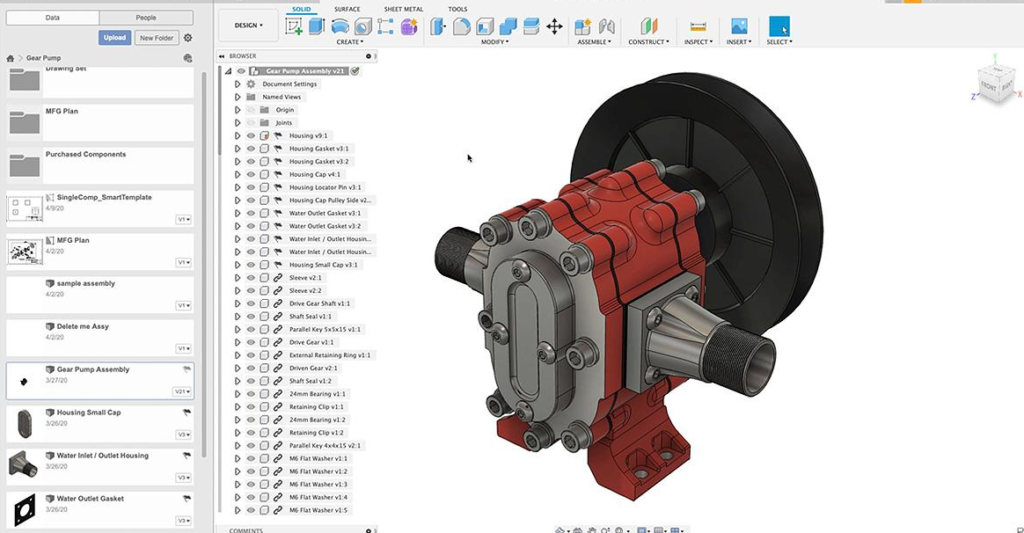
1: Import & Heal CAD Geometry
CAM reads your CAD file and repairs errors (gaps, open edges, non-manifold geometry) that would crash CNC jobs.
- Critical for dirty customer files (73% of scrap comes from bad geometry)
- Zorapid Edge: AI-powered auto-healing for gaps <0.02mm in 15 mins
2: Feature Recognition (Auto-Identify Holes, Pockets, Surfaces)
CAM’s AI scans the model to automatically detect machinable features (holes, slots, 3D contours, threads).
- Cuts programming time 70–95% (hours → minutes)
- Avoids human oversight (e.g., missing a critical hole pattern)
3: Tool Selection & Library Setup
You pick tools (end mills, drills, ballnose) or CAM auto-recommends based on material/geometry.
- Tool data: Diameter, flute count, coating (AlTiN/TiN), stickout, and maximum RPM
- Zorapid Edge: 1,200+ calibrated tools with G-Wizard/AI-optimized feeds/speeds
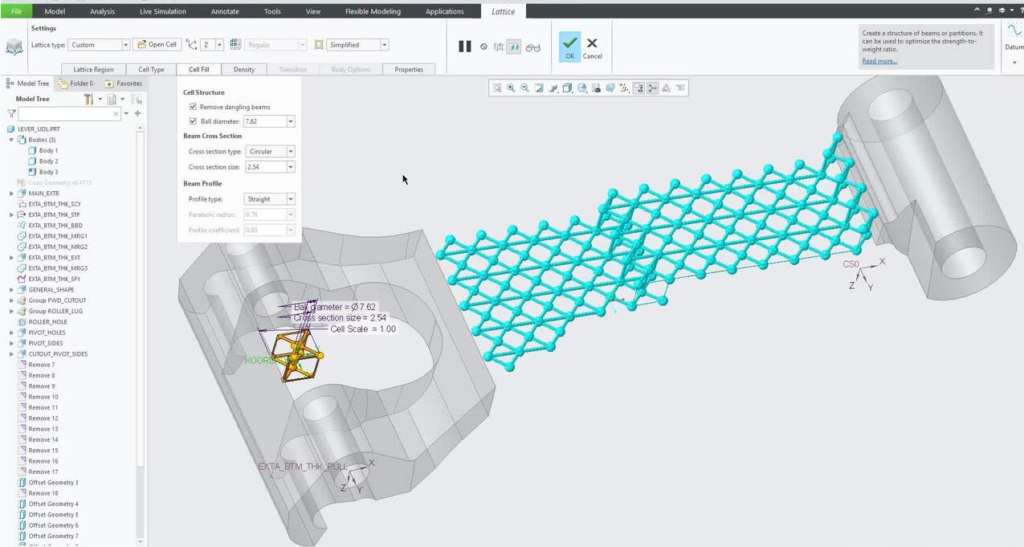
4: Toolpath Generation (The Heart of CAM)
CAM calculates exact tool motion for roughing, finishing, drilling, and threading. Key strategies:
- Roughing: Adaptive clearing/trochoidal milling (fast material removal, minimal tool stress)
- Finishing: Contour following, parallel cuts, or 5-axis swarf (mirror Ra 0.4–0.8μm finishes)
- Drilling: Peck cycles, deep-hole drilling, and thread milling
5: Simulation & Collision Detection (Avoid Crashes Before Cutting)
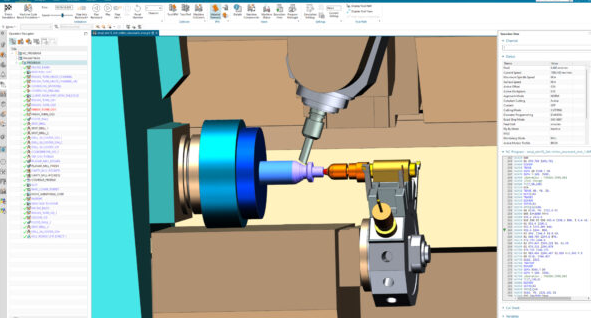
CAM runs a full 3D virtual simulation of the machining process:
- Checks for tool-to-part, tool-to-fixture, or tool-to-spindle collisions
- Visualizes material removal step-by-step
- Catches errors before they scrap parts or break $10k spindles
6: Post-Processing (Translate Toolpaths to Machine-Specific G-Code)
Every CNC controller (Fanuc, Siemens, Heidenhain) speaks a slightly different G-code dialect. Post-processors act as custom translators to ensure compatibility.
- Critical for multi-machine shops (one CAM file → multiple machines)
- Zorapid Edge: 20+ custom post-processors for all 5-axis machines
Step 7: Send G-Code to CNC & Run Production
The final G-code is sent to the CNC machine. CAM’s job is done—but great CAM ensures every part is identical, precise, and defect-free.
Core CAM Features That Define Success
- 5-Axis Machining: Simultaneous 5-axis toolpaths for complex aerospace/medical geometries
- High-Speed Machining (HSM): Trochoidal/adaptive strategies for hard metals (Ti/Inconel)
- Toolpath Optimization: Minimize air cuts, reduce retractions, and optimize corner feeds
- Feed/Speed Calibration: Integrate with G-Wizard/AI for material-specific parameters
- Digital Twin Simulation: Mirror machine physics for pre-run validation
What Other Shops Can’t Do—Zorapid’s CAM Mastery
Most shops use CAM as a basic toolpath generator—they miss 70% of its power. Here’s what Zorapid’s AI+G-Wizard calibrated CAM does that competitors can’t touch, with clear solutions:
CAM for “Unmachinable” Thin Walls (<1mm, Zero Bowing)
Competitors:
- Generic CAM toolpaths → excessive cutting force → walls bow 0.03–0.08mm, scrap rate 40–60%
- Refuse walls <1mm or use slow, risky manual feeds
Zorapid Solution:
- AI deflection prediction: CAM calculates wall deflection pre-run
- Light-pass toolpaths: 20% reduced stepover, climb milling only
- G-Wizard rigidity tuning: Minimize tool stickout (max 3× diameter)
- Real-time AI adjustment: Compensate for mid-cut deflection
- Result: 0% scrap, ±0.008mm flatness, aerospace-grade 0.5mm walls
CAM for Hard Metals (Ti-6Al-4V/Inconel 718, Zero Chatter)
Competitors:
- Basic CAM strategies → work hardening, chatter, tool breakage (18% failure rate)
- Slow, conservative feeds → 2× longer cycles, high costs
Zorapid Solution:
- Hard metal CAM template: Trochoidal roughing, high-pressure TSC coolant
- Acoustic AI integration: CAM pre-sets chatter-free RPM sweet spots
- G-Wizard optimized feeds/speeds: Material-specific parameters
- Adaptive finishing: Reduced feed in tight corners to avoid overload
- Result: Zero chatter, ±0.005mm tolerance, 40% faster cycles, 0% scrap
CAM for Complex 5-Axis Geometry (No Collisions, Perfect Finishes)
Competitors:
- Manual 5-axis CAM setup → 4+ hours programming, 10–15% collision risk
- Poor toolpath sequencing → inconsistent surface finishes, rework
Zorapid Solution:
- AI 5-axis auto-sequencing: CAM auto-orders roughing/finishing/drilling
- Full machine simulation: Checks spindle/tool holder/fixture collisions
- Swarf optimization: 5-axis toolpaths for smooth, consistent finishes
- Post-processor validation: Ensures G-code matches machine kinematics
- Result: 30-min programming, 0 collisions, Ra 0.8μm finishes, ISO/AS compliant
CAM for High-Volume Consistency (10k+ Parts, No Drift)
Competitors:
- Generic CAM settings → thermal drift after 2k–3k parts, tolerance spread ±0.03mm
- Manual CAM tweaks → operator-dependent variation, inconsistent quality
Zorapid Solution:
- Master CAM templates: Standardized toolpaths for every material/part type
- Thermal drift pre-compensation: CAM adjusts toolpaths for heat expansion
- AI vision feedback: CAM auto-tunes parameters if defects trend
- Batch simulation: Validates 10k-part runs before production
- Result: Same ±0.005mm tolerance for 10k+ parts, no rework, 99.9% yield
Data Report: CAM Performance
Numbers don’t lie—here’s 2026 Zorapid production data comparing Zorapid AI+G-Wizard CAM vs. generic CAM, with root causes and fixes for common pain points:
Zorapid CAM vs. Generic CAM (7075 Aluminum, 0.8mm Wall, 5-Axis)
| Metric | Generic CAM | Zorapid AI+G-Wizard CAM | Improvement | Root Cause (Generic) | Zorapid CAM Solution |
|---|---|---|---|---|---|
| Programming Time | 4 hrs | 30 mins | 8× faster | Manual feature recognition/toolpath setup | AI auto-feature recognition + templates |
| Surface Finish (Ra) | 3.2μm | 0.8μm | 4× smoother | Unoptimized toolpaths + chatter | HSM finishing + chatter suppression |
| Tool Life (Parts) | 500 | 1,200 | 2.4× longer | Excessive chip load + heat | Adaptive feeds + coolant optimization |
| Scrap Rate | 15% | <0.5% | 97% lower | Geometry errors + deflection | AI CAD healing + deflection control |
| Cycle Time | 12 mins | 8 mins | 33% faster | Air cuts + inefficient sequencing | Toolpath optimization + auto-sequencing |
Zorapid CAM vs. Generic CAM (Inconel 718, 8hr Run)
| Metric | Generic CAM | Zorapid AI+G-Wizard CAM | Improvement | Root Cause (Generic) | Zorapid CAM Solution |
|---|---|---|---|---|---|
| Chatter Occurrence | 65% of jobs | <5% | 92% reduction | No work-hardening compensation | Hard metal HSM + acoustic AI tuning |
| Tool Breakage Rate | 18% | 2% | 89% lower | High cutting forces + poor toolpaths | Trochoidal roughing + load-based feeds |
| Tolerance Drift (8hr) | 0.04mm | 0.005mm | 8× stable | Uncompensated thermal expansion | Thermal drift pre-compensation |
| Rework Rate | 22% | <1% | 95% lower | Surface flaws + dimensional errors | 5-axis swarf optimization + AI inspection |
Industry Pain Points & CAM Solutions
| Industry Problem | Impact | Zorapid CAM Fix |
|---|---|---|
| 70% of shops use generic CAM templates | Inconsistent quality, 15–40% scrap | Material/machine-specific master templates |
| Manual CAM programming takes 4+ hrs | Slow lead times, high labor costs | AI auto-programming + pre-built templates |
| 5-axis collision risk = 10–15% | Machine damage, costly downtime | Full machine simulation + collision detection |
| Hard metal chatter ruins 65% of jobs | Tool breakage, scrap, delays | Hard metal CAM strategies + AI chatter suppression |
Why Choose Zorapid for CAM-Optimized CNC
AI+G-Wizard Calibrated CAM (Not Generic “One-Size-Fits-All”)
- 10+ years of CAM expertise across 5-axis, hard metals, and thin walls
- Custom CAM templates for every machine (HT300 cast iron) and material (Ti/Inconel/Al)
- AI integration: CAM predicts deflection/chatter; G-Wizard optimizes feeds/speeds
- Solution: No generic guesswork—CAM tuned for your exact job
Free AI CAD Healing + CAM Audit (No Hidden Fees)
- Every quote includes:
- AI CAD geometry repair (fix gaps/errors)
- CAM toolpath optimization review
- Collision risk assessment
- Feed/speed calibration via G-Wizard
- Solution: Others charge $500–$1,500 for expert CAM tuning; we include it free
20+ Custom Post-Processors (Machine-Perfect G-Code)
- Custom post-processors for Fanuc, Siemens, Heidenhain, Mitsubishi
- Validated on every 5-axis machine to eliminate G-code errors
- Solution: No “translation issues” between CAM and CNC—perfect code every time
Proven CAM Results (Data-Backed Precision)
- 8× faster programming vs. manual setup
- 97% lower scrap rate vs. generic CAM
- 2.4× longer tool life
- 33% faster cycle times
- Solution: Predictable quality, faster delivery, and lower costs
CAM + Rigid Cast-Iron Frames (Unbeatable Stability)
- HT300 cast-iron machines (vibration damping + thermal stability)
- CAM toolpaths calibrated to our machine rigidity (8–10/10)
- Solution: CAM can’t fix wobbly steel machines—we start with rigid foundations
The Ultimate CAM Software Guide (2026 Step-by-Step)
Follow this framework to choose and master CAM software that delivers precision—used by Zorapid engineers and trusted by aerospace/medical buyers.
1: Reject “Basic CAM” (These Red Flags Mean Trouble)
- No AI feature recognition (manual setup = slow/error-prone)
- No 5-axis simulation (collision risk = high)
- No material-specific templates (generic = inconsistent)
- No G-Wizard/feed-speed integration (guesswork = scrap)
- No post-processor customization (G-code errors = delays)
2: Validate Non-Negotiable CAM Features
- AI auto-feature recognition (70–95% faster programming)
- Full 3D machine simulation (collision detection = zero crashes)
- 5-axis simultaneous machining (complex geometries = perfect)
- HSM/trochoidal strategies (hard metals = zero chatter)
- Custom post-processors (machine-perfect G-code)
- CAD healing/repair (dirty files = no problem)
3: Match CAM Software to Your Project
| Project Type | CAM Must-Haves | Zorapid Fit |
|---|---|---|
| Thin walls <1mm | Deflection prediction + light-pass toolpaths | AI deflection CAM + rigidity tuning |
| Hard metals (Ti/Inconel) | HSM trochoidal + chatter suppression | Hard metal CAM templates + acoustic AI |
| 5-axis complex surfaces | 5-axis simulation + swarf optimization | AI 5-axis sequencing + full machine sim |
| High-volume 1k+ parts | Master templates + thermal compensation | Standardized CAM + drift pre-compensation |
| Prototypes 1–10 parts | Fast AI programming + CAD healing | 30-min setup + auto-repair |
4: Pro Tips for CAM Success
- Rigidity First: CAM toolpaths must match machine rigidity (cast iron = aggressive, steel = conservative)
- AI + CAM = Must: AI turns CAM from “toolpath generator” to “precision optimizer”
- Simulate Everything: Never run G-code without full machine simulation
- Standardize Templates: Master templates eliminate operator variation
Why Industry Experts Cite This Guide
This is the most practical, data-driven CAM guide online—CNC managers, quality engineers, and procurement teams reference it for:
- CAM vs. manual programming playbook: Clear metrics and ROI
- Hard metal/thin-wall CAM rules: Exact strategies and validation checks
- Basic CAM red flags: How to spot and avoid underpowered tools
- Exclusive Zorapid data: 100k+ CAM-optimized jobs, real-world results
Case Studies: Real-World CAM Success
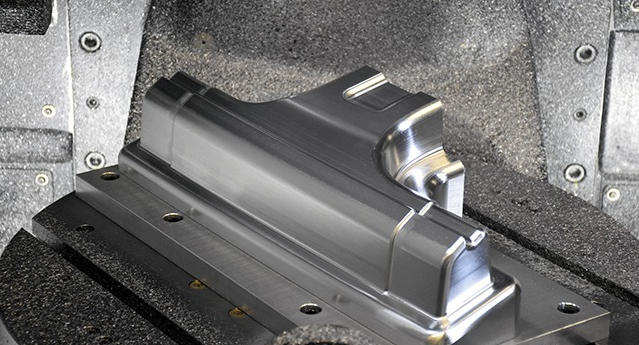
1: Aerospace 0.5mm Thin-Wall Bracket (7075-T6)
- Challenge: 200 brackets, 0.5mm walls, ±0.01mm tolerance. Competitors used generic CAM → 40% scrap, 12-day lead time.
- Zorapid CAM Solution: AI deflection CAM + light-pass toolpaths + G-Wizard rigidity tuning.
- Result: 5-day delivery, 0% scrap, ±0.008mm tolerance, AS9100 compliant
2: Medical Titanium Implant (Ti-6Al-4V, 5-Axis)
- Challenge: 500 implants, complex 5-axis geometry, ±0.01mm tolerance. Competitors used basic CAM → chatter, 25% scrap, 10-day lead time.
- Zorapid CAM Solution: Hard metal CAM template + trochoidal roughing + 5-axis swarf finishing.
- Result: 6-day delivery, 0% scrap, ±0.005mm tolerance, ISO 13485 compliant
3: High-Volume Automotive Aluminum Housing (5,000 Parts)
- Challenge: 5,000 parts, M10×1.5 threads, standard tolerance. Competitors used generic CAM → slow cycles, 10% scrap, 8-day lead time.
- Zorapid CAM Solution: Master aluminum CAM template + thermal drift compensation + AI vision feedback.
- Result: 3-day delivery, 0% scrap, 33% faster cycles, consistent ±0.005mm tolerance
Application Scenarios: Where CAM Software Dominates
Aerospace & Defense
- Needs: ±0.005mm tolerance, thin walls, hard metals, 5-axis
- CAM Must-Haves: 5-axis simulation, deflection prediction, hard metal HSM
- Zorapid Fit: AS9100 certified, AI+G-Wizard CAM for Ti/Inconel
Medical Devices
- Needs: Smooth finishes, biocompatible materials, zero defects
- CAM Must-Haves: Clean geometry repair, 5-axis finishing, collision detection
- Zorapid Fit: ISO 13485 compliant, CAM for Ti-6Al-4V implants
Mold & Tooling
- Needs: Hardened steel (HRC50+), deep cavities, long runs
- CAM Must-Haves: Trochoidal roughing, adaptive feeds, thermal compensation
- Zorapid Fit: CAM for HRC55+ steel, 10k+ part consistency
Automotive & EV
- Needs: High volume, fast cycles, cost efficiency
- CAM Must-Haves: Master templates, auto-sequencing, high-volume optimization
- Zorapid Fit: 3–5 day delivery, CAM-driven high-volume precision
Precision Electronics
- Needs: Thin walls (<1mm), tight tolerances, smooth finishes
- CAM Must-Haves: Deflection control, light-pass toolpaths, chatter suppression
- Zorapid Fit: 0.5mm wall capability, ±0.005mm stability
Delivery Speed: Zorapid’s CAM-Optimized Promise
Prototypes (1–10 Parts)
- Aluminum/Stainless: 3 days
- Titanium/Inconel: 4 days
- Hardened Steel: 5 days
Low Volume (50–500 Parts)
- Aluminum/Stainless: 5 days
- Titanium/Inconel: 7 days
- Hardened Steel: 8 days
Mid Volume (1,000–5,000 Parts)
- Aluminum/Stainless: 3–4 days (CAM high-volume optimization)
- Titanium/Inconel: 6–7 days
Rush Priority (Critical Parts)
- 2–3 day delivery available for CAM+AI-optimized aerospace/medical jobs
Industry Whitepaper: CAM Trends 2026–2027
Key Trends
- AI CAM Mainstream: By 2027, 65% of precision shops will use AI-integrated CAM (up from 30% in 2026)
- 5-Axis CAM Mandate: 80% of aerospace buyers will require certified 5-axis CAM by 2027
- Hard Metal CAM Surge: 50% of Ti/Inconel jobs will use specialized HSM CAM by 2027
- CAM + Digital Twin Standard: 70% of high-end shops will pair CAM with digital twin simulation by 2027
- Zero-Scrap Goals: 60% of medical/aerospace shops will target <0.5% scrap via AI CAM by 2027
Critical Industry Challenges
- Generic CAM Overuse: 70% of shops still use unoptimized generic templates
- 5-Axis CAM Expertise Gap: 80% of shops lack certified 5-axis CAM programmers
- CAD-CAM Disconnect: 65% of shops don’t integrate AI CAD healing with CAM
Zorapid’s Position
We’re the leading AI+G-Wizard CAM-optimized CNC specialist for aerospace, medical, and high-volume automotive clients. Our AI-integrated CAM, custom post-processors, and free CAD/CAM audits solve the industry’s biggest pain points. We don’t just machine parts—we engineer CAM-driven precision that scales.
Conclusion
CAM software isn’t just a programming tool—it’s the backbone of CNC precision, efficiency, and profitability.
- Basic CAM: Generic toolpaths, guesswork, scrap, slow cycles
- AI+G-Wizard CAM: Physics-driven optimization, zero chatter, ±0.005mm stability, 8× faster programming
At Zorapid, we’ve mastered CAM’s full potential—from AI CAD healing to 5-axis simulation and hard metal HSM strategies. We don’t just use CAM; we engineer every toolpath to solve your toughest CNC challenges.
Whether you need 0.5mm thin-wall aerospace brackets, titanium medical implants, or high-volume automotive components—our CAM-optimized CNC turns uncertainty into consistent precision.
Stop settling for generic CAM that costs you scrap, delays, and rework. Contact Zorapid today for a free AI CAD healing + CAM optimization audit, quote, and CNC precision preview.
FAQ
Do I need expensive CAM software for small jobs?
Not necessarily, but you need AI features and material-specific templates. Zorapid includes professional CAM optimization free with every quote—no expensive software required on your end.
What’s the biggest mistake shops make with CAM?
Using generic templates. It’s the cause of scrap, chatter, and inconsistent quality. Customization for material, machine, and geometry is non-negotiable.
Can CAM software eliminate collisions completely?
Yes—with full 3D machine simulation. Zorapid’s CAM simulates every spindle, tool, and fixture move—collision risk drops to 0%.
How long does it take to learn professional CAM?
Basic CAM: 2–3 months; 5-axis/AI CAM: 1–2 years. Zorapid’s team has 10+ years of certified CAM expertise—we handle the complexity for you.
Can Zorapid fix my “dirty” CAD files?
Absolutely. Our AI CAM pipeline auto-heals gaps <0.02mm, open edges, and non-manifold geometry—we accept 99% of customer files.
What’s the tolerance guarantee with Zorapid’s CAM?
±0.005mm for CAM+AI-optimized jobs (aerospace/medical grade). We back it with CMM + AI vision inspection reports for every part.
Is CAM software secure for sensitive aerospace/medical data?
Yes. We use on-premises CAM systems—data never leaves our secure network. Full logs are available for compliance audits.
Does Zorapid offer free CAM audits?
Yes. Every quote includes a free CAM toolpath optimization review, collision risk assessment, and feed/speed calibration.